• Timer-controlled
  • Simplifies the first contact
  • No adjustments required to the Colibri’s position on the face
  • Excellent for low-complexity activities such as opening apps, browsing the internet, and taking selfies
  • Controlled by facial gestures
  • Requires a little more practice
  • Demands precise positioning of the Colibri in relation to the face
  • Ideal for more complex activities that require fine control, such as dragging icons, selecting text, editing images, or drawing
Posição no rosto

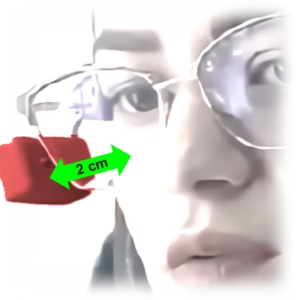
To perform clicks with smiles or facial contractions, position the Colibri so that the facial sensor opening is facing the cheek.

To perform clicks by blinking, position the Colibri so that the facial sensor opening is pointing towards your eyelid.

If blinking/smiling isn’t causing the beeping sound, try bringing the Colibri a little closer to your face. Do this by flexing or twisting the adjustable shaft that connects the Colibri to the clip.

If the beeping sound is constant, even when you are not blinking/smiling, try moving the Colibri a little further away from your face. Do this by flexing or twisting the adjustable axis that connects the Colibri to the clip.

Didn’t work the first time? Don’t worry.

I hear the click activation sound, but the click is not recognized by the device.

If you are using iOS (iPhone or iPad), make sure you have version 13.4 or higher. Remember that you need to enable the AssistiveTouch feature in your device’s accessibility settings (Settings → Accessibility → Touch → AssistiveTouch).

Some applications and software do not respond to a single mouse click and require a double click, or simply do not recognize the mouse.

For personalized help, contact our support via WhatsApp by clicking here.

How do I perform clicks using Colibri?

Clicking can be done in two ways: by time or by facial gesture.

Time-based clicking happens automatically whenever the cursor remains still over a target for a short interval. This is the simplest way to click and is most appropriate for those using Colibri for the first time.

Facial gesture clicking occurs when the person makes small facial movements, such as a smile or blinking, which are detected by Colibri. This mode allows for faster clicking and also for performing activities that require dragging the pointer while holding the click.

You choose how to click using the My Colibri app.

I have difficulty blinking, how can I click with Colibri?

In this case, the mouse click can be performed automatically whenever the cursor remains stationary over a target for a short period.

If in doubt, our support team can remotely assess the person to better determine the likelihood of adaptation.

Contact our support via WhatsApp by clicking here.

My Colibri keeps clicking all the time.

With Auto Click, you can increase the click activation time using the advanced settings app.

If you are using Face Click, adjust the sensor’s position and try moving it slightly away from your skin to reduce its sensitivity.

To avoid accidental clicks, use the Suspension function whenever you don’t want to control the device.

For personalized assistance, contact our support via WhatsApp by clicking here.